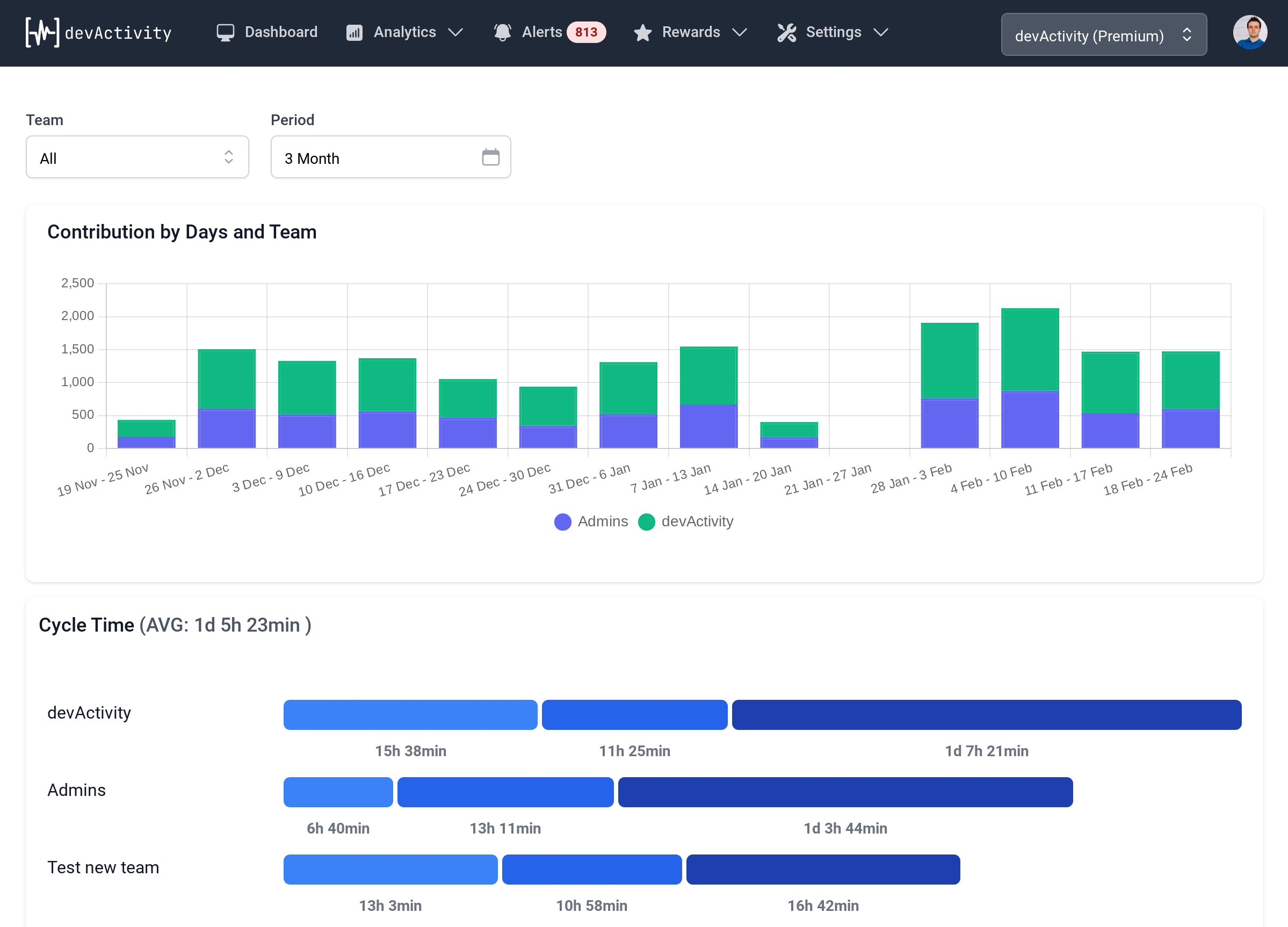
Beyond the Force Push: Ensuring Accurate GitHub Contributor Statistics for Your Development Dashboard
Maintaining an accurate development dashboard is crucial for understanding project health and team contributions. When GitHub's contributor statistics don't reflect recent history rewrites, it can be a source of confusion and frustration. This community insight dives into a common scenario where contributor lists appear "stale" after force-pushes and offers practical solutions to ensure your github kpi dashboard remains precise.
The Mystery of the Stale Contributor List
In the fast-paced world of software development, Git operations like rewriting commit history and force-pushing are sometimes necessary. Whether it's to clean up sensitive information, squash messy commits, or correct an error, these actions are part of a developer's toolkit. However, they can lead to unexpected side effects, particularly concerning how platforms like GitHub interpret and display project metrics.
A developer, pisppus, recently encountered an issue after rewriting commit history and force-pushing to their repository. Despite the commit history itself being updated correctly, the contributor list on the repository's main page remained outdated, even after more than 24 hours. This raised a critical question for any team relying on their development dashboard for insights: how do you refresh these statistics or trigger a recalculation when the visible history is correct, but the summary data is not?
This isn't just a cosmetic issue; stale contributor statistics can skew your performance monitoring efforts, misrepresent individual and team contributions, and ultimately undermine trust in your project's data. For product managers, delivery managers, and CTOs, an inaccurate github kpi dashboard can lead to misinformed decisions about resource allocation, project velocity, and team recognition.
Unpacking GitHub's Attribution Logic
The core of the problem, as identified by another community member, lies in how GitHub attributes commits. Contrary to what many might assume, GitHub primarily attributes commits based on the author/committer email address, not just the author name displayed in the commit message. If an email address used in commits is associated with a different GitHub account, those contributions will be counted under that associated account, regardless of the author name.
In pisppus's case, six specific commits, though displaying "Pisppus" as the author name, were linked to the email memnaaplojka@gmail.com. This email was associated with another GitHub account, OrangeCoreStudio. Consequently, GitHub correctly attributed those six contributions to OrangeCoreStudio, making the contributor list for pisppus's account appear incomplete or "stale" from their perspective.
Understanding this distinction is vital. Your git config user.name and git config user.email are what Git records in the commit. GitHub then uses the email to link that commit to a specific GitHub user account. If that email is not verified on your primary account, or is verified on another account, the contributions will be attributed accordingly.
You can verify this attribution with a simple Git command:
git log --format='%h %an %ae' | grep memnaaplojkaThis command will show you the commit hash, author name, and author email for all commits, allowing you to quickly identify if specific emails are causing misattribution.
Two Paths to Rectify Your Contributor Data
Once you've identified the root cause of the misattribution, you have two primary methods to correct your github kpi dashboard:
1. Email Management (No History Rewrite Needed)
This is the simpler solution if the email in question belongs to you (or your organization) but is currently associated with the wrong GitHub account. This method avoids the complexities and risks of rewriting history.
- Remove the Email: Go to the settings of the GitHub account currently associated with the problematic email (e.g.,
OrangeCoreStudio). Removememnaaplojka@gmail.comfrom its verified email addresses. - Add and Verify the Email: Go to the settings of the GitHub account where you want the contributions to be counted (e.g.,
pisppus). Addmemnaaplojka@gmail.comand ensure it is verified.
After this change, GitHub's internal systems will eventually re-process the commits and correctly attribute them to the desired account. This can still take some time (up to 24 hours or more), but it's generally the safest and quickest fix when applicable.
2. Rewriting History with git-filter-repo
If the problematic email does not belong to you, or you need to permanently change the author/committer information for a set of commits, rewriting history is the necessary, albeit more complex, approach. This should be done with extreme caution, especially on shared repositories, as it changes commit hashes and requires all collaborators to rebase their work.
The recommended tool for this is git-filter-repo (a modern replacement for git filter-branch). Here's a general approach:
# First, create a mailmap file to define the old and new identities
echo 'New Name  Old Name ' > mailmap.txt
# For pisppus's specific case, to map 'Pisppus ' to their current email:
echo 'Pisppus  Pisppus ' > mailmap.txt

# Run git-filter-repo with the mailmap
git filter-repo --mailmap mailmap.txt

# git-filter-repo removes the remote, so re-add it
git remote add origin https://github.com/pisppus/Pip3D.git

# Force-push the rewritten history (DANGER: this overwrites remote history!)
git push --force origin main
This process rewrites the author and committer emails for the specified commits, and crucially, it changes the commit hashes for those commits and all subsequent commits. After a successful force-push, GitHub will eventually update the contributor list to reflect the new history. Again, patience is key, as these updates are not instantaneous.
Beyond the Fix: Why Accurate Data Matters for Leadership
For dev team members, product/project managers, delivery managers, and CTOs, the accuracy of a development dashboard is non-negotiable. Stale or incorrect contributor statistics can have several detrimental impacts:
- Misleading Performance Metrics: Inaccurate data distorts your performance monitoring. If contributions are misattributed, it's impossible to get a true picture of who is doing what, potentially leading to unfair performance reviews or skewed resource allocation.
- Undermining Team Morale: Developers want their work to be recognized. When their contributions don't appear correctly on the github kpi dashboard, it can lead to frustration and a feeling of being undervalued.
- Flawed Project Planning: Project managers rely on historical data to estimate future work. If contributor patterns are incorrect, capacity planning and sprint forecasting can become unreliable.
- Strategic Blind Spots: CTOs and technical leaders use these dashboards to identify key contributors, assess team health, and make strategic decisions about team structure and investment in tooling. Bad data leads to bad decisions.
Ensuring the integrity of your Git history and GitHub's displayed metrics is a fundamental aspect of effective technical leadership and efficient delivery. It's not just about fixing a bug; it's about maintaining a reliable source of truth for your entire engineering organization.
Proactive Strategies for Data Integrity
To prevent such issues from recurring and ensure your development dashboard remains accurate:
- Consistent Git Configuration: Encourage or enforce consistent
git config user.emailsettings across your team, ensuring that each developer uses their primary, verified GitHub email address for work-related commits. - GitHub Email Verification: Regularly audit and ensure that all team members have their primary work emails verified on their GitHub accounts.
- Understand Attribution: Educate your team on GitHub's email-based attribution logic. This knowledge empowers developers to proactively manage their Git identity.
- Regular Dashboard Review: Incorporate a periodic review of your github kpi dashboard and contributor lists into your team's routine. Anomalies can be caught and addressed quickly.
Conclusion
The case of pisppus's stale contributor statistics highlights a critical, yet often overlooked, aspect of Git and GitHub usage: the importance of accurate identity attribution. While force-pushing rewritten history is a powerful tool, understanding its implications for your development dashboard and performance monitoring is paramount.
By understanding GitHub's email-centric attribution, and knowing when to manage email associations versus when to undertake a careful history rewrite, engineering leaders can ensure their github kpi dashboard provides a true and reliable reflection of their team's efforts. This commitment to data accuracy is not just about tidiness; it's a cornerstone of effective project management, transparent team performance, and informed strategic decision-making.